Preventing Render.com from sleeping (cron-job.org)
Render.com's Free plan goes to sleep after 15 minutes of inactivity. As a workaround, this explains how to set up cron-job.org, which sends periodic responses.
Render.com's Free plan goes to sleep after 15 minutes of inactivity.
As a workaround, this uses cron-job.org, which sends periodic responses.
Here are the steps I'm keeping a record of.
1. Go to cron-job.org and create an account
Reference site
Using cron-job.org to periodically access a specific URL
2. Create a JOB
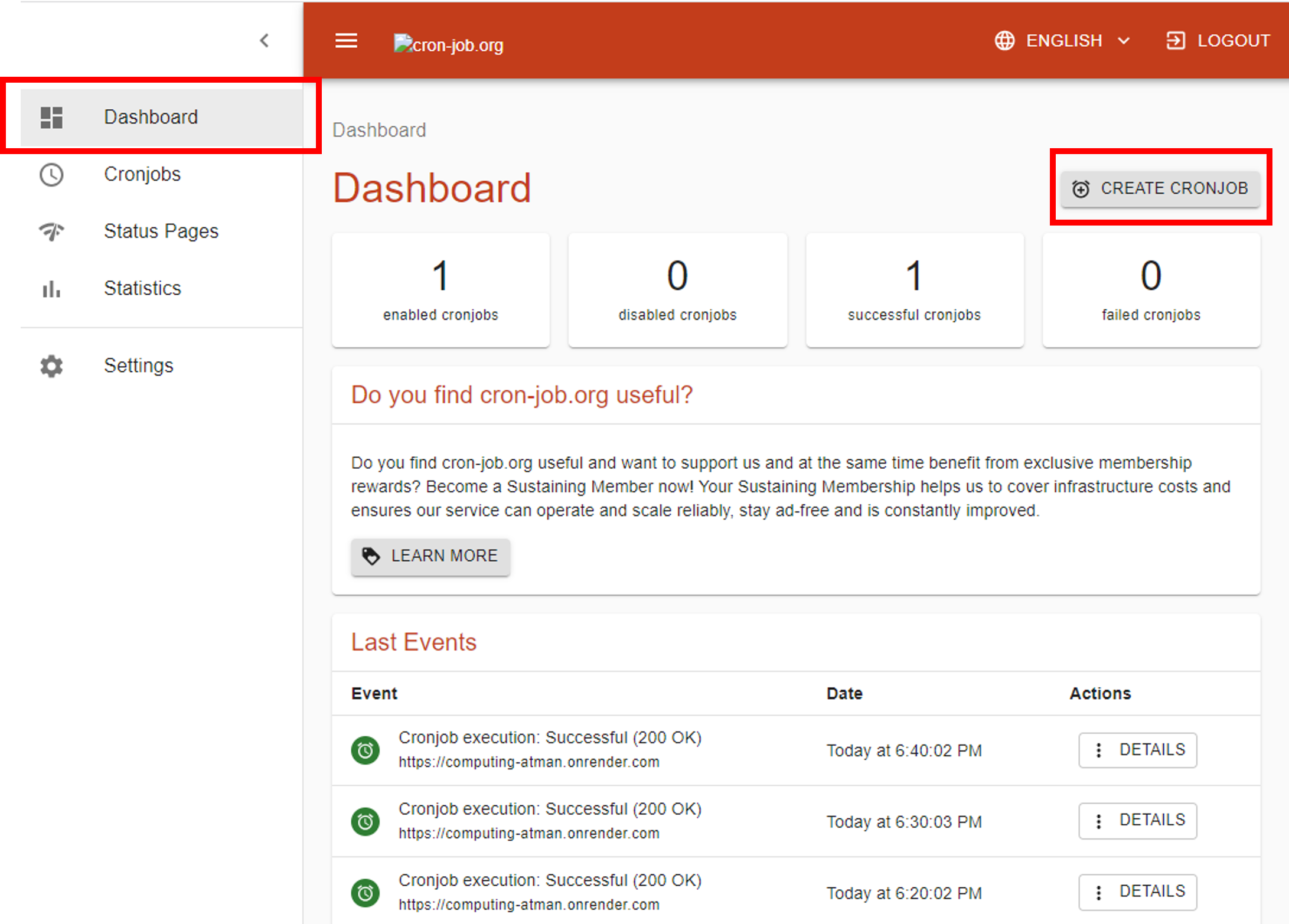
From the Dashboard, click CREATE CRONJOB.
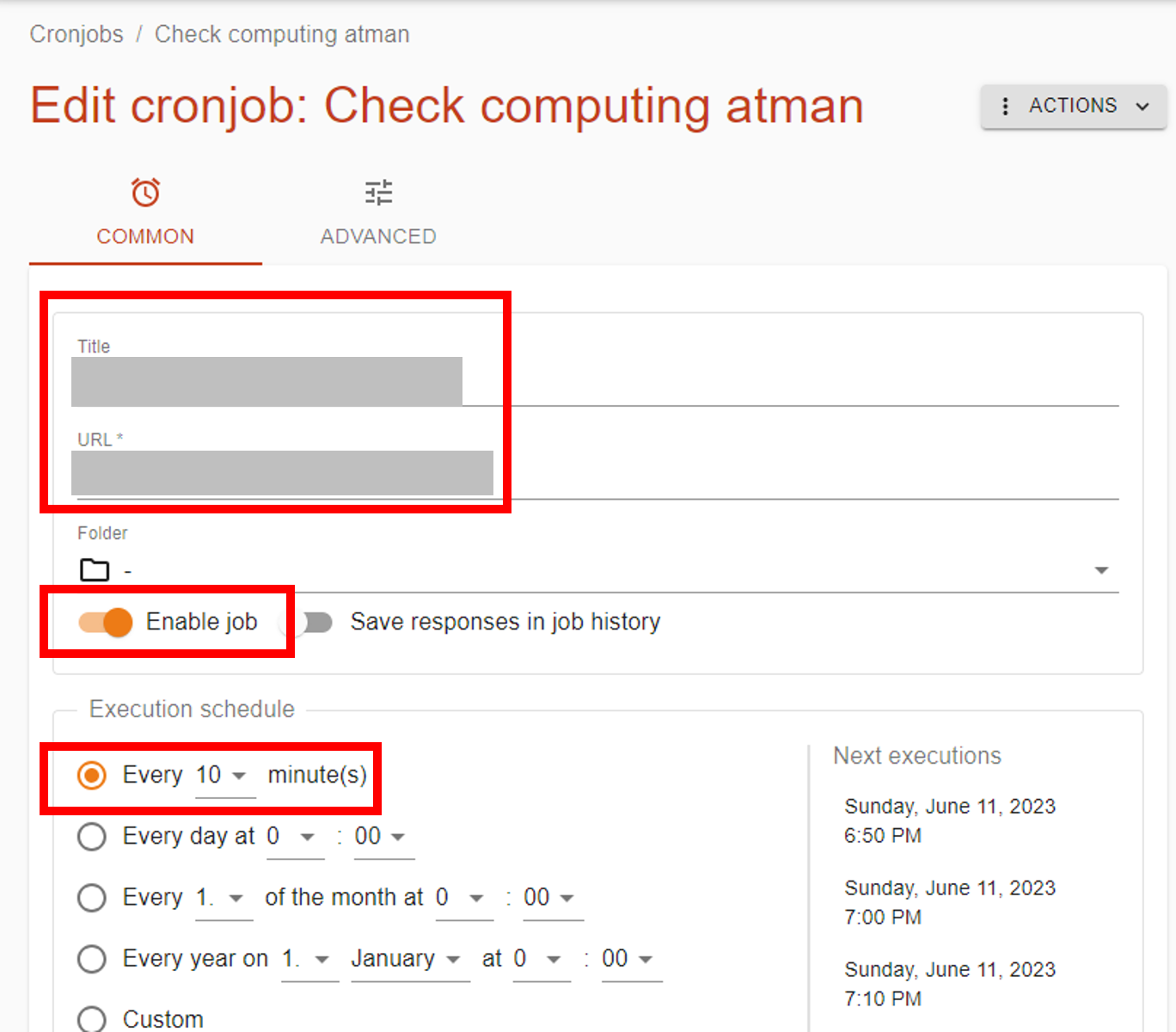
3. Configure COMMON
Set the URL and access frequency. Here I set it to 10 minutes.
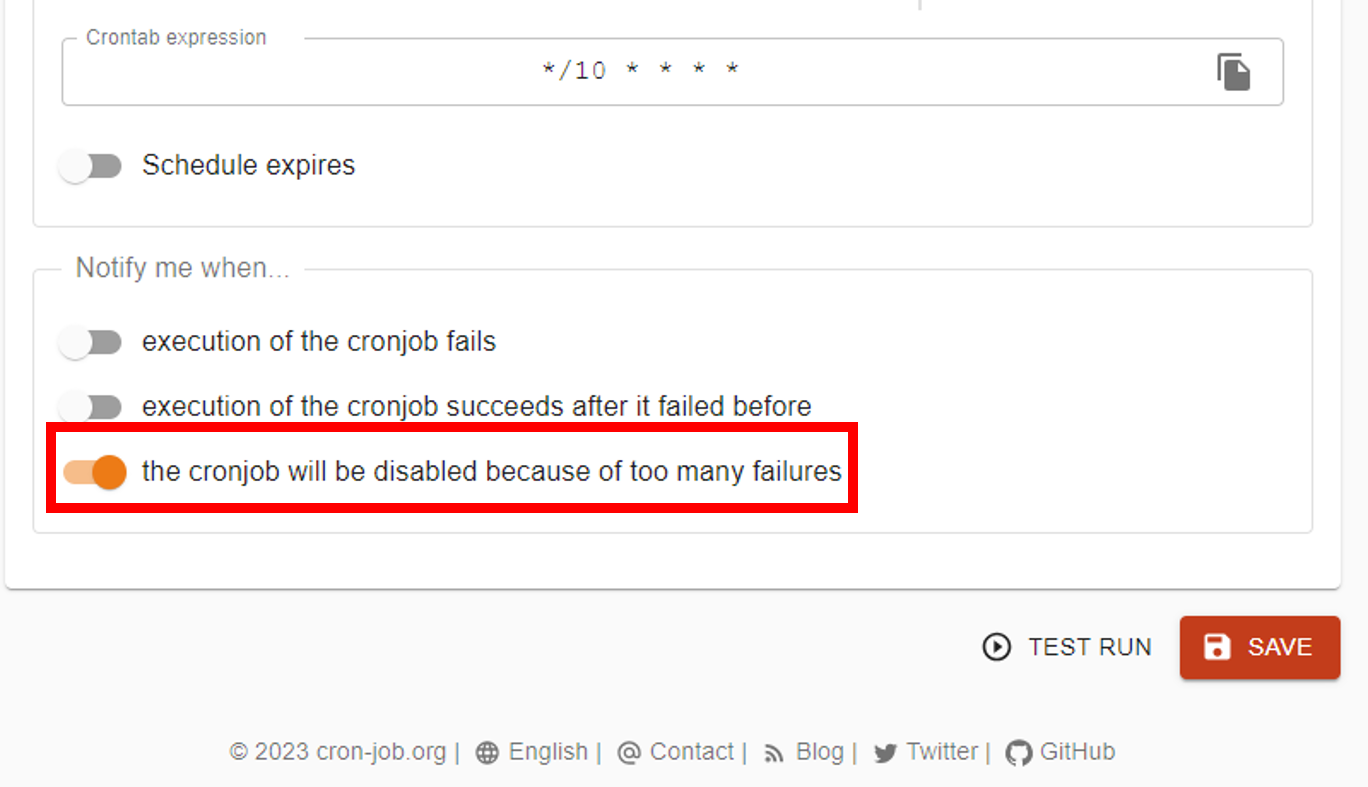
This is the notification setting for when a run fails. (Optional)
4. Configure ADVANCED
Next, switch to the ADVANCED tab and configure it.
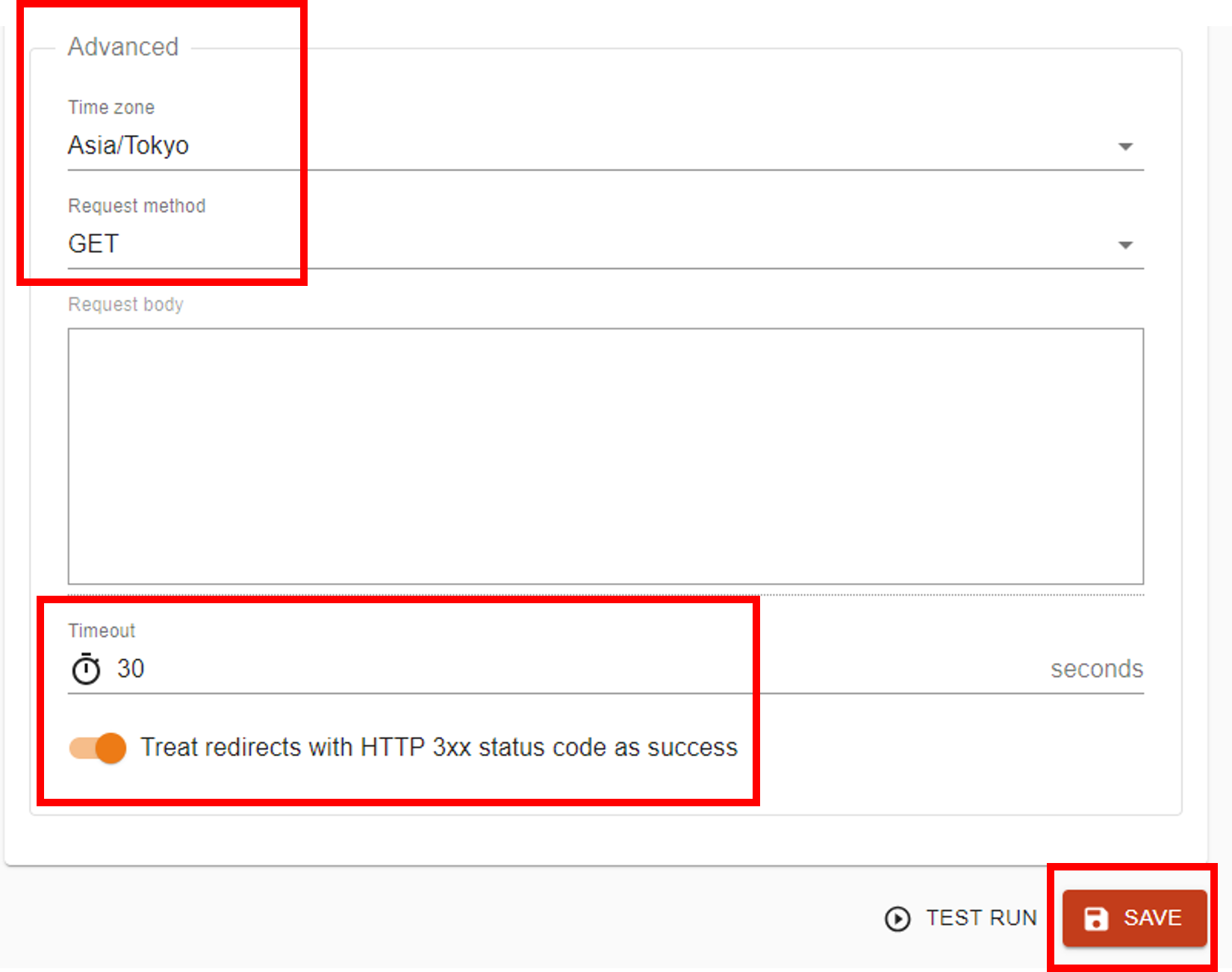
Finally, click the CREATE button to finish.
Related plants
More Tech articles →Spec for Codex: Seamless Spec‑Driven Development in VS Code
A VS Code extension that brings Kiro-compatible spec‑driven workflows to Codex CLI—manage Specs, Steering Docs, and Prompts visually and run tasks inline.
#vscode#codex#sddmulti-agent-ff15: Transforming AI Agents from 'Tools' to 'Comrades'
A multi-agent system where 6 AI agents operate in parallel. Zero-cost coordination accelerates development with a revolutionary new approach
#ai#multi-agent#opencodeBuilding a Self-Improving Advisor System with GitHub Copilot and Knowledge Base
Built a self-improving advisor system using GitHub Copilot's agent functionality that evaluates and improves a knowledge base. Multiple agents collaborate to automatically enhance response quality.
#github-copilot#ai#agent