I'll explain how to navigate between screens using **WPF Prism** in C#.
As shown below, this is a process where the screen switches when you press a button.
(It's not a dialog — the content inside the screen itself switches.)
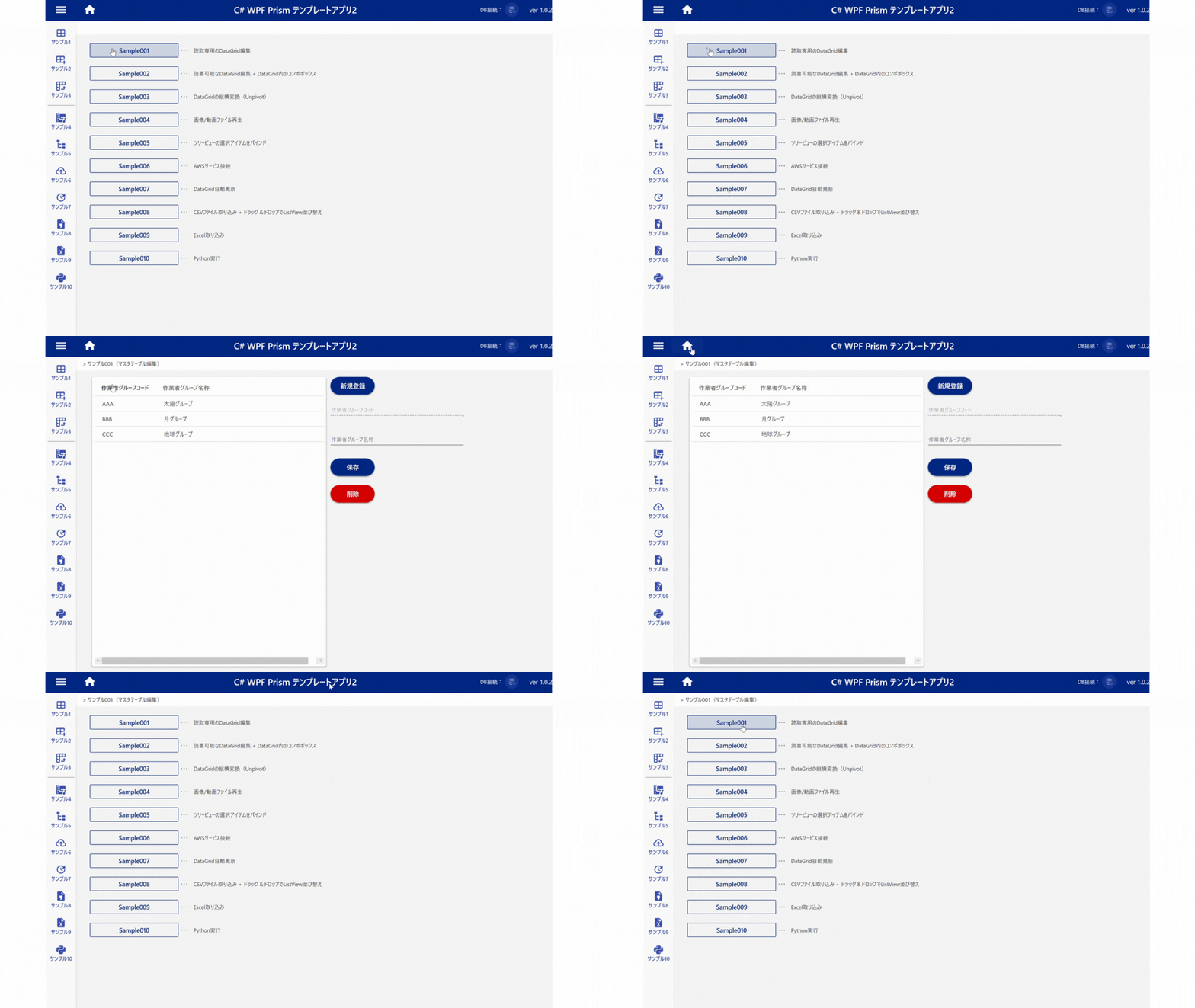
## Target Files (Example)
The files you need to code are **A through C** below.
```text
Views/
|-MainWindowView.xaml(画面遷移元) ・・・A
|-SampleNavigationView.xaml(画面遷移先)
ViewModels/
|-MainWindowViewModel.cs(画面遷移元) ・・・B
|-SampleNavigationViewModel.cs(画面遷移先) ・・・C
App.xaml.cs ・・・D
```
## MainWindowView.xaml (source of navigation) ・・・A
### ①Add a Command to the button
For the button on the View that navigation starts from, add the delegate command name via Binding on Command.
```xml
```
## MainWindowViewModel.cs (source of navigation) ・・・B
### ②Add an IRegionManager field to the ViewModel
Add a private `IRegionManager` field to the ViewModel that navigation starts from, and set it in the constructor.
### ③Add the method that runs when the button is pressed
Add the delegate command property that receives the button-press event, and implement the Execute method for when the button is pressed.
▼Sample code for ② and ③ above
```cs
private IRegionManager _regionManager; //// 画面遷移(ナビゲーション)
//// コンストラクタ
public MainWindowViewModel(IRegionManager regionManager)
{
//// 画面遷移用(ナビゲーション)
_regionManager = regionManager;
SampleNavigationViewButton = new DelegateCommand(SampleNavigationViewButtonExecute);
}
public DelegateCommand SampleNavigationViewButton { get; }
private void SampleNavigationViewButtonExecute()
{
//// 画面遷移処理(ナビゲーション)
_regionManager.RequestNavigate("ContentRegion", nameof(SampleNavigationView));
}
```
## SampleNavigationViewModel.cs (navigation destination) ・・・C
### ④Implement the INavigationAware interface
Implement the **INavigationAware interface** and the **IRegionMemberLifetime interface** on the ViewModel that is the navigation destination.
※Added 2023/3/5
To release the ViewModel instance's memory, I've added an implementation of the IRegionMemberLifetime interface.
### ⑤Change the interface methods
Implementing INavigationAware adds `IsNavigationTarget` — set its return value to `true`, and set `KeepAlive` to `false`. This lets memory be released when the view is destroyed.
▼Sample code for ④ and ⑤ above
```cs
public class SampleTableEditViewModel : BindableBase, INavigationAware, IRegionMemberLifetime
{
///
/// ViewModel破棄に伴いメモリ開放する際はfalse
///
public bool KeepAlive { get; set; } = false;
//// 各種処理
public bool IsNavigationTarget(NavigationContext navigationContext)
{
//// RegionMemberLifetime(KeepAlive = false)でViewModelを破棄するため、こちらはTrue
return true;
}
public virtual void OnNavigatedFrom(NavigationContext navigationContext)
{
}
public virtual void OnNavigatedTo(NavigationContext navigationContext)
{
}
}
```
## App.xaml.cs ・・・D
### ⑥Register the View inside RegisterTypes
```cs
protected override void RegisterTypes(IContainerRegistry containerRegistry)
{
//// ナビゲーション画面
containerRegistry.RegisterForNavigation();
}
```
Any View registered with `containerRegistry.RegisterForNavigation` becomes eligible for navigation.